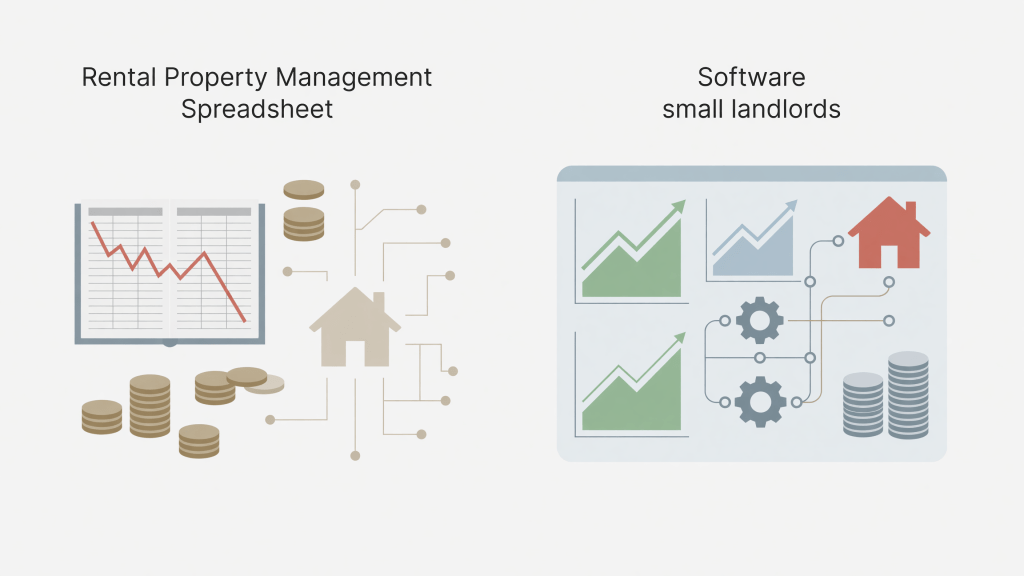
At some point, every landlord opens a shoebox — literal or digital — full of receipts, bank statements, and one napkin with a plumber’s number on it, and thinks: there has to be a better way. There is. The question is whether that better way is a rental property management spreadsheet vs software subscription, or something in between. The answer depends less on how sophisticated you are and more on how many units you own, how much you want to pay monthly, and whether you actually want to log in to yet another app.
Let’s work through it without the hype.
What You Actually Need to Track (Before Picking Any Tool)
Before you compare tools, get clear on what a rental property tracking system needs to do. At minimum, you need to record rent collected, operating expenses, vacancy periods, and anything that feeds your Schedule E at tax time. The IRS organizes rental income and expenses into specific categories — advertising, insurance, repairs, supplies, taxes, utilities, mortgage interest, depreciation, and others — and your bookkeeping should mirror that structure whether you use a spreadsheet or software.
Beyond tax prep, you want a clear picture of your cash flow: what actually hits your bank account after PITI (principal, interest, taxes, and insurance), repairs, vacancy, and CapEx reserves. A lot of landlords discover their property is “profitable” only until they run the real numbers. Rent collected is not the same as cash flow, and cash flow is not the same as net operating income. These distinctions matter enormously when you’re evaluating whether a property is actually working.
If your tracking system can’t show you those three numbers clearly — rent roll, NOI, and cash flow — it isn’t doing its job.
The Case for a Rental Property Management Spreadsheet
For landlords managing one to a handful of units, a well-built landlord spreadsheet handles most of what property management software promises — without the monthly fee. Here’s what a spreadsheet does well:
- Full control over categories. You can organize expenses exactly the way Schedule E is organized, so tax prep is less of an archaeology project in April.
- One-page cash flow analysis. A good template puts rent, vacancy reserve, operating expenses, mortgage payment, and net cash flow on a single view. You don’t need ten tabs to know if a property is working.
- Deal evaluation before you buy. Spreadsheets are excellent for running cap rate and cash-on-cash return calculations on a property you’re considering. Software subscriptions are mostly designed for properties you already own.
- No recurring cost. A spreadsheet template is a one-time purchase or a free download. Property management software often charges monthly per unit — which adds up quickly when you own two units and one of them is vacant.
The limitation is real, though: a spreadsheet requires you to enter data manually and to build (or buy) a structure that actually works. A blank Excel file is not a tracking system. It’s just a blank Excel file.
The other honest limitation: spreadsheets don’t send rent reminders, accept online payments, or generate tenant-facing documents. If you want those features, software earns its cost.
When Property Management Software for Independent Landlords Makes Sense
Software starts to make genuine sense when your operational complexity outgrows a spreadsheet. Specifically:
- You’re managing five or more units and tracking multiple rent rolls, lease dates, and security deposits simultaneously.
- You want tenants to pay online and have those payments automatically recorded.
- You need maintenance request tracking across multiple properties.
- You have a property manager and need shared access to records.
Popular platforms for independent landlords include tools that handle tenant communication, lease storage, and basic bookkeeping in one place. The trade-off is cost — monthly fees, sometimes per-unit pricing — and the reality that you’re learning someone else’s system rather than owning your own data structure.
One thing software rarely does better than a spreadsheet: deal analysis. If you’re evaluating whether to buy a property and want to model vacancy at 8%, plug in a repair reserve, and see your cash-on-cash return at different purchase prices — a spreadsheet built for that purpose will outperform a generic software dashboard every time.
DIY Landlord Bookkeeping: A Practical Middle Path
The most common setup for small landlords managing one to four units is a hybrid: use a rental property tracking spreadsheet for bookkeeping and deal analysis, and use free or low-cost tools for the operational side (online rent collection, lease storage, basic communication).
Several platforms offer free rent collection with no monthly fee if you don’t need premium features. That handles the operational layer. Your spreadsheet handles the financial layer — tracking every expense by Schedule E category, logging vacancy months, maintaining a separate CapEx reserve line, and producing a cash flow summary you can actually read.
The landlord who gets into trouble is the one whose “tracking system” is a bank account they check occasionally and a folder of receipts they plan to sort someday. That system works fine until December, when it works terribly.
If you’re evaluating your first rental or managing a small portfolio, the Vault & Press Rental Property Cashflow Analyzer on Etsy is worth a look. It’s built around the categories landlords actually need — rent roll, vacancy, CapEx reserve, Schedule E expense lines, NOI, and cash-on-cash return — on a layout that doesn’t require a finance degree to read. It’s a one-time buy, you own the file, and it doesn’t charge you monthly when your unit sits vacant for six weeks.
For more on building landlord habits from the start, landlord bookkeeping for beginners walks through what to track and why. If you’re still evaluating a deal, our cap rate calculator guide covers how to run the math before you commit. And if tax season is the specific nightmare you’re solving, Schedule E deductions for rental properties breaks down what’s actually deductible.
You can also browse the full library of practical landlord and finance guides at The Skill Mill — written for people who want real numbers, not real estate fantasy.
For general IRS guidance on rental income and expenses, the IRS Publication 527 (Residential Rental Property) is the authoritative starting point, covering what qualifies as rental income, which expenses are deductible, and how depreciation works.
For a broader overview of landlord recordkeeping requirements and best practices, the Nolo guide to landlord tax deductions is a practical plain-language companion to the IRS documentation.
FAQ: Rental Property Management Spreadsheet vs Software
Q: Is a spreadsheet actually enough for a small landlord?
For one to four units, a well-structured spreadsheet handles the core job: tracking income, categorizing expenses by Schedule E, logging vacancy, and calculating cash flow. The gap is operational features — online rent collection, maintenance requests, tenant communication — which free or low-cost platforms can fill separately.
Q: What’s the difference between NOI and cash flow?
NOI (net operating income) is rent minus operating expenses, before mortgage payments. Cash flow is what’s left after you subtract debt service (your PITI). A property can have positive NOI and negative cash flow if the mortgage is large relative to income. Both numbers matter — don’t confuse them.
Q: At what point should I switch from a spreadsheet to property management software?
There’s no universal threshold, but most landlords find spreadsheets sufficient through four or five units with stable tenants. When turnover becomes frequent, you’re managing maintenance requests across multiple properties, or you need shared access with a co-owner or property manager, software starts earning its monthly cost.
Q: What’s the most important thing to track for Schedule E?
Every deductible expense needs a date, amount, vendor, and category that matches a Schedule E line item. Repairs, insurance, property tax, mortgage interest, advertising, and depreciation are the big ones. The landlords who dread tax time are usually the ones who didn’t categorize expenses as they spent — not the ones who had complex finances.
What’s your current setup for tracking rental income and expenses — spreadsheet, software, or something more creative? Drop your answer in the comments. Especially interested in what broke down first.
{“@context”:”https://schema.org”,”@type”:”BlogPosting”,”headline”:”Rental Property Management Spreadsheet vs Software: What Small Landlords Need”,”description”:”Rental property management spreadsheet or software — which is right for small landlords? Here’s what actually matters when tracking income and expenses.”,”keywords”:[“rental property management spreadsheet vs software”,”best tools for tracking rental income and expenses”,”landlord software for small property owners”,”free rental property tracking spreadsheet templates”,”property management software for independent landlords”,”rental property accounting tools comparison”,”how to track rental properties without property management software”,”DIY landlord bookkeeping spreadsheet”,”affordable rental property management solutions”,”tenant tracking spreadsheet for small landlords”],”datePublished”:”2026-07-11T12:21:00.184Z”,”dateModified”:”2026-07-11T12:21:00.184Z”,”author”:{“@type”:”Organization”,”name”:”The Skill Mill”},”mainEntityOfPage”:”https://blog.theskillmillbooks.com/spreadsheet-vs-software-for-rental-property-what-small-landl/?utm_source=skillmillblog&utm_medium=blog&utm_campaign=rental-property-tracking&utm_content=spreadsheet-vs-software-for-rental-property-what-small-landl”}
Tools that help: MineStock Pro.


Leave a Reply