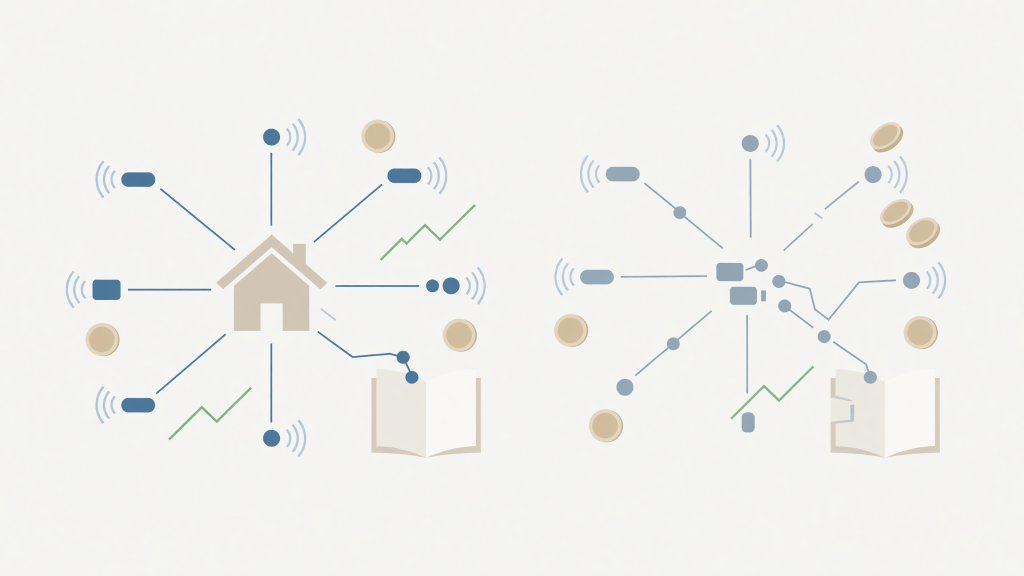
Home assistant presence detection setup is the feature that makes HA feel genuinely intelligent — and the one most likely to make you want to throw a sensor across the room at 2 a.m. when the lights turn off while you’re still sitting on the couch. If you’ve landed here after a frustrated search, you’re in the right place. This post walks through every major method, what each one is actually good at, and — critically — where each one breaks down.
Why Presence Detection Is Harder Than It Looks
The appeal is obvious: HA knows you’re home, HA knows which room you’re in, automations fire without a single button press. The reality is that “presence” is a surprisingly slippery concept for a computer to track. You could be motionless at your desk for an hour, asleep in bed, or standing perfectly still in the kitchen waiting for water to boil — and a poorly configured system will decide you’ve left.
There is no single best presence detection sensor for smart home use. Every method has a detection profile, a failure mode, and a cost. The practical answer for most setups is a layered approach: two or three complementary methods that cover each other’s blind spots. Understanding what each layer does — and doesn’t do — is the whole skill.
The Main Methods, Compared Side by Side
Let’s put the major approaches in one place so you can see the trade-offs without hunting through five separate forum threads.
| Method | Best For | Key Failure Mode | Local Control |
|---|---|---|---|
| Phone GPS / device tracker | Home vs. Away (zone-level) | GPS drift, battery saver kills the app | Partial (app pings cloud) |
| Bluetooth (phone ping) | Home vs. Away, fast arrival | Stops updating when phone sleeps | Yes, with ESPresense |
| ESPresense / BLE fingerprinting | Room-level presence | Needs ESP32 nodes in every room | Yes — fully local |
| PIR motion sensor | Triggered occupancy | Misses stationary people entirely | Yes (Zigbee/Z-Wave) |
| mmWave presence sensor | Stationary occupancy detection | False triggers through walls, cost | Yes (ESPHome or Zigbee) |
| Wi-Fi device tracker (NMAP/ping) | Passive home/away | Phones drop Wi-Fi when idle | Yes — fully local |
The community shorthand for combining methods in HA is a “person” entity backed by multiple device trackers, then using helper entities and template logic to decide which tracker to trust at any given moment. It sounds complicated, but once it clicks it’s one of the most satisfying things HA can do.
mmWave and Bluetooth Presence Detection: The Current Community Favourites
mmWave presence sensor Home Assistant integrations have genuinely changed what room-level detection looks like. Unlike a PIR sensor, which requires movement to trigger, an mmWave sensor detects the tiny motion of a breathing person sitting still — which is why so many people use them for offices, reading rooms, and bedrooms. The tradeoff is sensitivity: a well-placed mmWave sensor might also detect your cat, vibration from a nearby road, or — in thin-walled homes — someone in the next room.
Tuning the detection zone and sensitivity is not optional. Most mmWave sensors expose configuration parameters through ESPHome or a companion integration, and you will spend time with them. That’s not a criticism — it’s just the honest picture of what home assistant room level presence detection requires.
Bluetooth presence detection Home Assistant setups have their own appeal, especially for people who want to track which specific person is in a room rather than just whether a room is occupied. ESPresense is the community’s go-to project here: you flash ESP32 boards and place one in each room, and they report signal strength for known Bluetooth devices — phones, watches, tags. HA then uses the strongest signal to infer location. It is fully local, which is a big deal for the people who left cloud-dependent ecosystems to build on HA in the first place.
The failure mode for ESPresense bluetooth tracking is multipath interference — Bluetooth signals bounce off walls and furniture, which can cause a device to appear to be in the wrong room. Placement of the ESP32 nodes matters enormously, and it usually takes a few days of real-world observation to dial in. For further reading on smart home standards and local networking, the Wi-Fi Alliance and Connectivity Standards Alliance (the body behind Matter) are worth bookmarking.
Smart Home Presence Detection False Triggers and How to Reduce Them
False triggers are the community’s shared trauma. The lights turning on at 3 a.m. because the mmWave sensor detected a ceiling fan. The “everyone left” automation firing because the GPS on one phone drifted to a zone boundary. The “person is home” entity flipping to away for ninety seconds and turning the heating off.
The standard fix for most of these is a timer helper: don’t act on a presence change until the state has held for a defined window. Five minutes before triggering “nobody home” dramatically reduces false departures without making arrival feel sluggish. Most experienced HA users also maintain a separate “guests present” input boolean that locks certain automations regardless of what the presence entities say — a small bit of defensive YAML that saves a lot of embarrassment.
Home assistant device tracker reliability also improves significantly when you’re running the Home Assistant Companion app on your phone with background location enabled and battery optimisation explicitly disabled for it. That setting is the single most common reason home assistant person detection stops working mid-day — the phone’s OS simply throttles or kills the app. It’s not a bug in HA; it’s an OS behaviour you have to opt out of manually.
If you want a structured path through all of this — from initial setup through automations and troubleshooting — the Home Assistant Smart Home for Beginners guide covers presence detection as part of a complete, step-by-step walkthrough written specifically for people who don’t want to piece it together from forum posts.
For related troubleshooting, the posts Why Your Home Assistant Automation Stopped Working and Home Assistant Will Not Detect My Device: What to Check First pick up exactly where this one leaves off. You might also find Home Assistant Remote Access Without Paying for Nabu Casa useful if you want your presence tracking to update correctly when you’re returning from outside your local network.
Frequently Asked Questions
- Why does my HA person entity show “home” even after I leave?
- The most common cause is Wi-Fi ping — the phone stays connected to the router for a while after you physically leave, or the router caches the device as active. Combining GPS-based device tracking with the Wi-Fi tracker, and requiring both to agree before marking someone away, usually resolves this.
- Is ESPresense stable enough for daily use?
- Many community members run it reliably for months. It does require initial time investment to flash ESP32 nodes, configure device identifiers, and tune signal thresholds room by room. Once calibrated, it’s one of the most capable fully-local room-level solutions available.
- Do mmWave sensors work through glass or thin walls?
- They can, which is often the source of false triggers. Most sensors let you restrict the detection zone by adjusting sensitivity and distance parameters — doing this carefully is the difference between a sensor that’s useful and one that’s maddening.
- Can I use HA presence detection without a smartphone?
- Yes. A Bluetooth tag worn as a keychain, a smartwatch, or even a dedicated BLE beacon can act as the tracked device. ESPresense supports a wide range of Bluetooth Low Energy devices beyond phones, which makes it workable for households where not everyone carries a smartphone consistently.
- What causes home assistant person detection to stop working randomly?
- Battery optimisation on Android and iOS is the leading culprit — the OS suspends the Companion app to save power, which stops location updates. Disable battery optimisation for the HA Companion app on every phone you’re tracking. It’s also worth checking whether a recent HAOS update changed integration behaviour, since presence-related integrations do occasionally shift between releases.
- Is home assistant occupancy detection cloud-dependent?
- It depends entirely on your method. mmWave sensors via ESPHome, ESPresense BLE tracking, PIR sensors on Zigbee, and local Wi-Fi pinging are all fully local. GPS-based phone tracking through the Companion app does communicate with external servers. A well-layered setup can be almost entirely local-control, which is one of the main reasons people build on HA rather than staying with cloud-dependent ecosystems.
Presence detection is genuinely one of the most rewarding things to get working in HA — and one of the most honest tests of whether your setup is solid or just held together with hope. The community phrase “it just works until it doesn’t” was basically written for this feature. What’s your current setup, and which failure mode finally pushed you here to fix it? Leave a comment below — the more specific the pain, the more useful the thread will be for the next person searching at midnight.
{“@context”:”https://schema.org”,”@type”:”BlogPosting”,”headline”:”Home Assistant Presence Detection Setup: What Works and Where It Fails”,”description”:”Home assistant presence detection setup explained honestly—methods that work, false triggers to expect, and the failure modes nobody warns you about.”,”keywords”:[“home assistant presence detection setup”,”best presence detection sensors for smart home”,”home assistant occupancy detection methods”,”bluetooth presence detection home assistant”,”home assistant person detection not working”,”mmwave presence sensor home assistant”,”home assistant room level presence detection”,”smart home presence detection false triggers”,”home assistant device tracker reliability”,”ESPresense home assistant bluetooth tracking”],”datePublished”:”2026-08-30T17:45:04.025Z”,”dateModified”:”2026-08-30T17:45:04.025Z”,”author”:{“@type”:”Organization”,”name”:”The Skill Mill”},”mainEntityOfPage”:”https://blog.theskillmillbooks.com/presence-detection-that-actually-works-and-where-it-still-fa/?utm_source=skillmillblog&utm_medium=blog&utm_campaign=home-assistant-smart-home&utm_content=presence-detection-that-actually-works-and-where-it-still-fa”}
Tools that help: our Vault & Press spreadsheet · MineStock Pro.


Leave a Reply